Unlocking Omron CP1H PLC Password Free Download Guide
The Omron CP1H programmable logic controller (PLC) is a widely used automation device in industrial applications. Moreover, PLCs are crucial for controlling and monitoring machinery, and, consequently, they often come with password protection in order to ensure the security of programs and configurations. In addition, these security measures help prevent unauthorized access, thereby improving overall system reliability and operational safety.
However, there may be situations where you need to unlock an Omron CP1H PLC due to forgotten passwords or other legitimate reasons. In this article, we will explore methods to unlock an Omron CP1H PLC password for free and provide practical tips for successful execution.
Omron CP1H PLC Unlock Password Protection
Omron CP1H PLCs offer password protection features to prevent unauthorized access to the control programs and sensitive configurations. Password protection ensures the integrity and confidentiality of the PLC's logic and settings, safeguarding against potential tampering or unauthorized modifications. However, there may be instances where access to a locked PLC is required for maintenance, troubleshooting, or other valid purposes.
Disclaimer:
Before proceeding with any password unlocking methods, it is essential to note that attempting to bypass password protection on a PLC without proper authorization is generally discouraged and may be illegal. It is crucial to obtain the necessary permissions from the rightful owner before proceeding or, alternatively, consult the original equipment manufacturer (OEM) for assistance. Furthermore, this article aims to provide information for legitimate scenarios and, therefore, assumes responsible and ethical usage. Ultimately, these precautions help ensure compliance while also protecting system integrity and professional standards.
Default Passwords
Omron CP1H PLCs often come with default passwords programmed by the manufacturer. However, these default passwords may vary depending on the firmware version and model. Therefore, it is recommended to consult the Omron documentation, user manuals, or alternatively, contact their customer support in order to obtain the default password specific to your PLC model. By doing so, users can ensure proper access and avoid unnecessary configuration issues.
Backdoor Access:
In some cases, Omron CP1H PLCs may include a manufacturer-authorized recovery feature designed for legitimate service or maintenance purposes. Typically, such features involve a specific diagnostic mode or approved service procedure that allows authorized access without disrupting system integrity. Therefore, it is strongly recommended to refer to the official user manual or, alternatively, contact authorized technical support for proper guidance. By doing so, users can ensure secure, lawful, and professional handling of password recovery situations.
Removing Memory Card:
Some Omron CP1H PLCs store the password information on a removable memory card. By removing the memory card and accessing it through a card reader on a computer, you may be able to identify and modify the password information. However, it's important to handle the memory card with care and consult the PLC's documentation to understand the specific memory card format and encryption.
Practical Tips for Omron CP1H PLC Unlock Password
Consult the User Manual and Documentation:
Thoroughly read the user manual, technical guides, and any relevant documentation provided by Omron. These resources often contain essential information about password-related features, default passwords, and any special access methods available for specific PLC models.
Contact www.plcunlockbd.com Support:
If you encounter difficulties unlocking the Omron CP1H PLC password, it is advisable to reach out to plcunlockbd customer support. They have extensive knowledge and expertise in their products and can guide you through the proper procedures or provide assistance based on your specific requirements.
Document the Process:
When attempting to unlock an Omron CP1H PLC password, document each step you take. This documentation can be useful for future reference, troubleshooting, and ensuring accountability.
Conclusion: Omron CP1H PLC Unlock Password Free Download
Unlocking an Omron CP1H PLC password can be a challenging task, but by following the appropriate methods and practical tips outlined
How to Unlock OMRON CP1H PLC Password?
1) First go to plcunlockbd.com and Omron CP1H PLC Unlock Password Free Download ( Link in the Description )

2) When Your Download is complete you get this File, Open Unlock Software

3) Select Your PLC Model
Go to Select PLC Type > OMRON > CP1H Series
Like the picture below

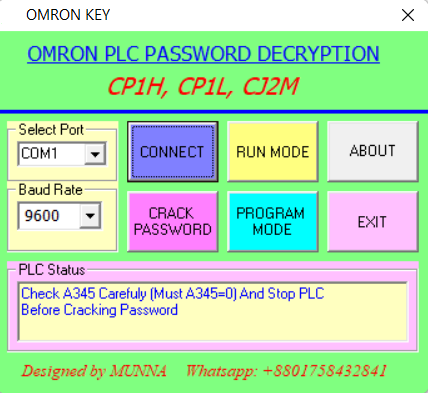
Select your correct COM port, Baud Rate in my case My port: (COM1), 9600
Click CONNECT then Click PROGRAM MODE then CRACK PASSWORD Then you will see your password in the password Section.
If you still have trouble understanding something, send me an sms on
WhatsApp (+8801758432841) and I will help you.
Thanks!
Omron CP1H PLC Unlock Password Free Download
Contact With us to Unlock Your PLC and HMI FREE
Cell: +8801758432841
______________________________________
Whatsapp: +8801758432841
Telegram: +8801758432841
Wechat: +8801758432841
______________________________________
You can directly email us if you need any information
Email: plcunlockbd@gmail.com
Click on Download Button and contact us on whatsapp. Our team response your message as soon as possible