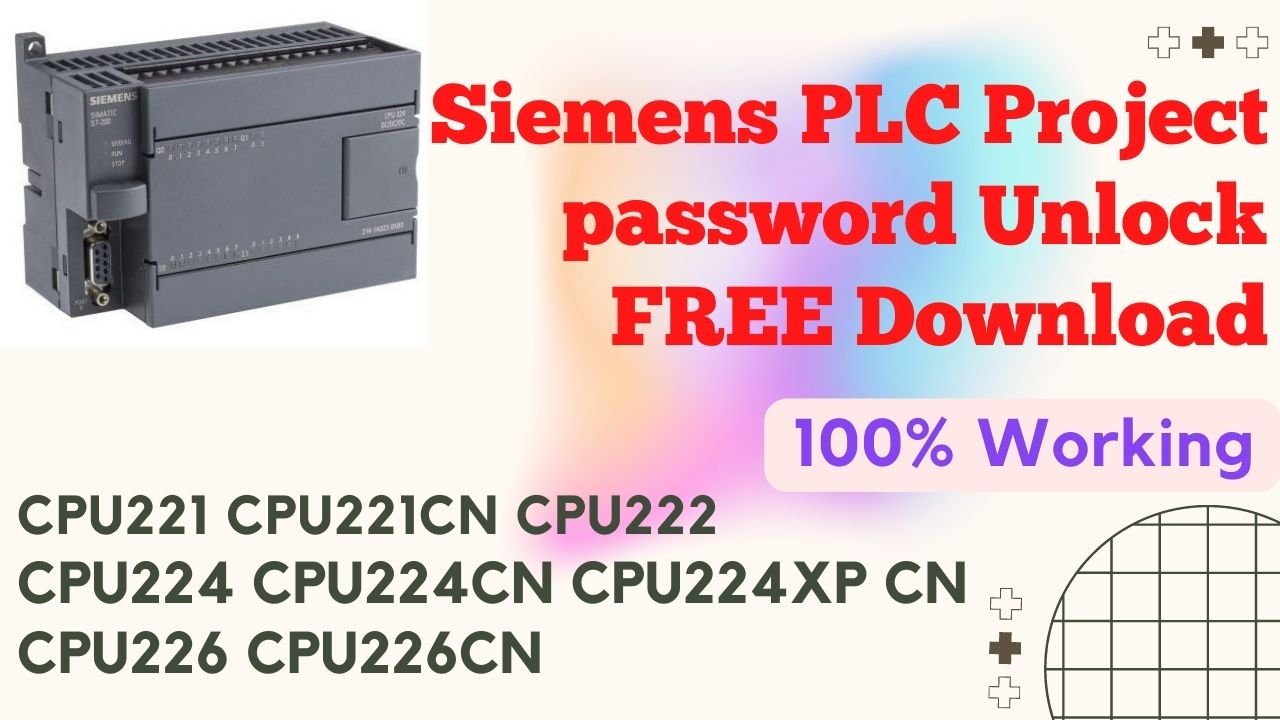
Siemens PLC Project Unlock Password Free Download: 100% Working
Welcome to our blog! In this post, we will explore the topic of Siemens plc (Programmable Logic Controller) project password unlock and how you can download it for free. Whether you're a newcomer to the concept or already well-versed in it, we've got you covered. So let's dive in!
Siemens plc is a widely used automation system that is crucial in various industries, such as manufacturing, energy, and transportation. It is designed to control and monitor processes, making it an essential tool in modern automation. However, sometimes users may forget or lose their project password, making it challenging to access and modify their project files.
The purpose of this post is to provide a clear solution for anyone who, at some point, finds themselves locked out of their Siemens PLC projects. Specifically, we will guide you step by step through the process of unlocking the project password and, at the same time, offer a free download solution that has been thoroughly tested and, moreover, proven to work. Therefore, without further delay, let’s get started!
Understanding Siemens PLC Project Passwords
Before we delve into the process of Siemens PLC Project Unlock, let's first understand how Siemens plc project passwords work. When you create a project, you have the option to add a password to protect it from unauthorized access. This password ensures that only authorized personnel can make changes to the project.
While this security measure is essential, there may be instances where the project password is forgotten or lost. In such cases, accessing the project and making necessary modifications becomes a challenge. However, fear not, as there are methods available to unlock these passwords.
Unlocking Siemens PLC Project Passwords: The Process
The process of Siemens PLC Project Unlock involves various steps. Here, we will outline the general steps you need to follow to regain access to your project. Please note that different versions of Siemens plc software may have slight variations in the process.
Step 1: Download and Install the Unlocking Tool
To begin, you first need to download and, subsequently, install the software tool that will enable you to unlock your Siemens PLC project password. In particular, we recommend using the "Siemens PLC Project Unlock" tool, which can be found easily through a quick internet search. Moreover, ensure that you download the tool from a trusted source in order to avoid any potential security risks. By doing so, you can proceed safely while also maintaining the integrity of your system.
Step 2: Open the Unlocking Tool
Once you have installed the unlocking tool on your system, open it to launch the application. You will be presented with a simple user interface that is designed to make the password unlocking process user-friendly and straightforward.
Step 3: Select the Project File
In this step, you first need to locate and, subsequently, select the Siemens PLC project file for which you want to unlock the password. To do this, use the file browser within the unlocking tool so that you can navigate easily to the specific project file on your computer. Additionally, double-check the file path to ensure you are selecting the correct project, thereby minimizing the risk of errors during the unlocking process.
Step 4: Choose the Unlocking Method
The unlocking tool will offer you different unlocking methods to choose from. These methods vary depending on the version of Siemens plc software you are using. Select the appropriate method based on your software version. If you're unsure, it's a good idea to do some quick research or consult the documentation for your specific software version.
Step 5: Start the Unlocking Process
After choosing your preferred unlocking method, simply click the "Start" or, alternatively, "Unlock" button within the tool. Immediately thereafter, the password unlocking process will begin, and at the same time, the tool will attempt to unlock the project file. Furthermore, monitor the progress carefully so that you can address any prompts or notifications that may appear during the process.
Step 6: Retrieve the Unlocked Project File
Once the password unlocking process is complete, the tool will notify you. At this point, you should be able to access and modify your Siemens PLC Project Unlock file without any password restrictions. Save the unlocked project file to a secure location to prevent any future inconveniences.
Additional Tips and Considerations
Here are a few additional tips and considerations to keep in mind while attempting to unlock your Siemens plc project password:
Backup your project files: Before attempting any password unlocking process, it is essential to create backups of your project files. This precautionary measure ensures that you have a copy of your project in case anything goes wrong during the unlocking process.
Ensure software compatibility: Make sure that the unlocking tool you choose is compatible with your Siemens plc software version. Using an incompatible tool may lead to unexpected errors or failures during the unlocking process.
Consult the experts: If you encounter any difficulties during the password unlocking process or have concerns about security, it is advisable to seek assistance from Siemens plc experts or the official support channels. They can provide you with reliable guidance and support.
Conclusion - Siemens PLC Project Unlock Password Free Download
In this blog post, we have explored the topic of Siemens plc project password unlock and provided you with a step-by-step guide to regain access to your locked project files. Remember, losing or forgetting your project password can be frustrating, but with the right tools and proper guidance, you can quickly overcome this challenge.
Always exercise caution while downloading and using unlocking tools, ensuring you obtain them from trusted sources. Additionally, consider the importance of project file backups and consult experts when needed.
We hope this guide has been helpful in offering you a practical solution so that you can unlock your Siemens PLC project passwords. As a result, you can now continue working on your projects without any interruptions. Moreover, by following these steps carefully, you can maintain smooth workflow and, at the same time, ensure the integrity of your projects. Finally, good luck!
How to Break Siemens PLC Project password?
You can unlock in this model:
The Siemens S7-200 series includes a wide range of CPU models, such as:
6ES7 211-0AA23-0XB0 Siemens S7-200, CPU 221
6ES7 211-0BA23-0XB0 Siemens S7-200, CPU 221
6ES7 212-1AB23-0XB0 Siemens S7-200, CPU 222
6ES7 212-1BB23-0XB0 Siemens S7-200, CPU 222
6ES7 214-1AD23-0XB0 Siemens S7-200, CPU 224
6ES7 214-1BD23-0XB0 Siemens S7-200, CPU 224 and
6ES7 214-1BD23-0XB0 Siemens S7-200, CPU 224
Additionally, the lineup features:
6ES7 214-2AD23-0XB0 Siemens S7-200, CPU 224XP
6ES7 214-2AS23-0XB0 Siemens S7-200, CPU 224XP CN
6ES7 214-2BD23-0XB0 Siemens S7-200, CPU 224XP
Furthermore, it also includes:
6ES7 216-2AD00-0XB0 Siemens S7-200, CPU 216
6ES7 216-2AD23-0XB0 Siemens S7-200, CPU 226
6ES7 216-2BD23-0XB0 Siemens S7-200, CPU 226 as well as
6ES7 216-2BD23-0XB0 Siemens S7-200, CPU 226
Overall, this comprehensive selection ensures compatibility with a variety of industrial automation applications, thereby providing flexible and reliable solutions.
Framework version
v2.00
v2.01
v2.02
Siemens PLC Project Unlock Password Free Download 100% Working
See this video How to unlock S7-200 PLC Password:
See This video How to Break Siemens PLC S7-200 Password Unlock:
ALL PLC & HMI UNLOCK VIDEOS
https://drive.google.com/drive/folders/1ttiBOlf84f6Foqq9SOPu1-5B45TIHnlw?usp=drive_link
Siemens PLC Project Unlock Password Free Download 100% Working
Contact With us to Unlock Your PLC and HMI FREE
Cell: +8801758432841
______________________________________
Whatsapp: +8801758432841
Telegram: +8801758432841
Wechat: +8801758432841
______________________________________
You can directly email us if you need any information
Email: plcunlockbd@gmail.com
First, click on the Download button and, after that, contact us on WhatsApp. Once you send your message, our team will respond as soon as possible. Furthermore, we are always ready to assist you, thereby ensuring prompt support while also addressing your queries efficiently and effectively.